Skimmi · Model 9997003-US · Sold in pool stores
Dolphin Skimmi 300
Cordless, solar-powered surface skimming for pools up to 65 ft
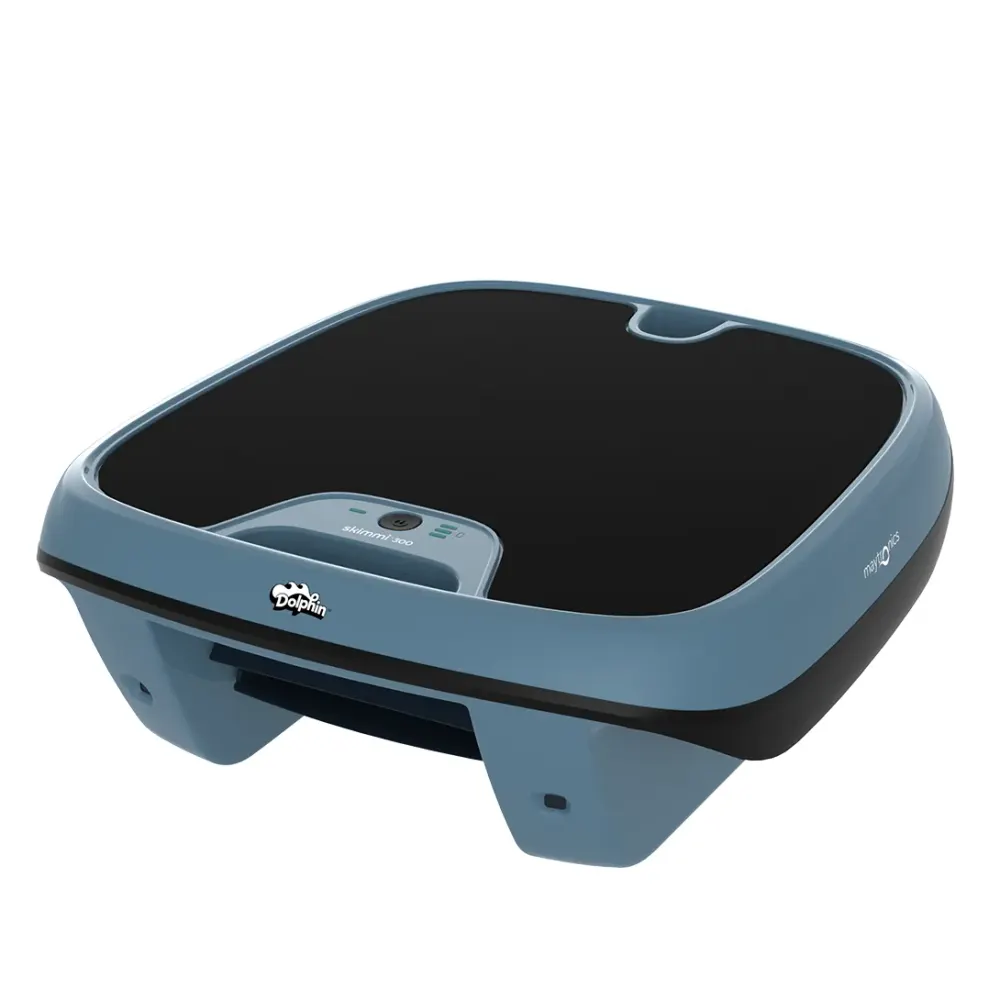
Dolphin Skimmi 300 is a solar-powered, cordless robotic skimmer from Maytronics for pools up to 65 ft long. It collects leaves, bugs and other debris from the water surface, rather than cleaning the pool floor. Infrared sensors above and below the water help it detect obstacles. Automatic sun detection helps it find sunny areas to recharge. There is no full-filter indicator.
Manual & guides5 FAQs Warranty
MSRP $599 (listed as out of stock at Maytronics). Poolbots does not sell the Skimmi 300: it is a reference page for owners and shoppers. Compare the Dolphins we ship free.
- Pool size
- Up to 65 ft
- Cleans
- Water Surface
- Cycle
- 0.75 Hours
- Warranty
- 3 years
- Weight
- 8.9 lb
What it does
Skimmi 300 at a glance.
It stores daytime solar energy for nighttime operation. Bluetooth control through the Maytronics One app lets you manage modes and guide it to the pool edge. Poolbots does not sell this model. Maytronics lists it as a pool-store exclusive with a $599 list price. This reference page provides specifications, parts guidance, manuals and troubleshooting for owners.
Who it is for
Dolphin Skimmi 300 suits owners of pools up to 65 ft long who want to collect floating leaves, bugs and other debris. Maytronics lists it for any pool type and covering, with rectangular, round, free-shape and kidney layouts included in the specifications. Its job is water-surface cleanup, not floor or wall scrubbing.
Solar charging without a cord
Automatic sun detection helps the skimmer find sunny spots in the pool to recharge.
Stored energy for nighttime use
Daytime solar charging stores energy for skimming after dark.
Infrared obstacle detection
Sensors above and below the water help detect obstacles as the skimmer moves across the surface.
Bluetooth app control
Use the Maytronics One app to manage cleaning modes and guide the skimmer to the pool edge.
Surface cleanup up to 65 ft
Collects floating debris in pools up to 65 ft long. The default cleaning cycle is 45 minutes.
Tech specs
Dolphin Skimmi 300 specifications.
As published by Maytronics for model 9997003-US (UPC 00810071228322).
Cleaning
- Cleaning Coverage
- Water Surface
- Full Filter Indicator
- No
- Default Cycle Time
- 0.75 Hours
Size & Dimension
- Robot Weight
- 8.952 lb
- Package Dimensions
- 20.2x18.4x7.8 inch
- Gross Weight
- 11.819 lb
Pool Attributes
- Maximum Pool length
- 65 ft
- Pool Shape
- Rectangular, Round, Free Shape, Kidney
Other
- Warranty (years)
- 3 Years
Support
Skimmi 300 manuals, videos and answers.
Questions about the Skimmi 300
What cleaning modes does the Skimmi 300 have?
Short answer: The Skimmi 300 has four cleaning modes: Edge Free, Leaf Capture, Eco Mode and Edge Cleaning.
The Dolphin Skimmi 300 has four cleaning modes for different pool conditions:
- Edge Free: Quickly skims debris from across the pool surface without specifically targeting the edges.
- Leaf Capture: Focuses on picking up large leaves and floating debris from the surface.
- Eco Mode: Automatically runs scheduled cleaning sessions to maintain the entire pool surface. There are 3 Eco Mode options to adjust the cleaning and resting intervals.
- Edge Cleaning: Uses Wall Wash technology to help clean along pool edges and near the waterline, where debris often gathers.
What is Eco Mode on the Skimmi 300?
Short answer: Eco Mode offers three cleaning and rest schedules to suit sunlight and cleaning needs, with automatic adjustments between day and night.
Eco Mode on the Skimmi 300 lets you choose from three session types to match the available sunlight and how much cleaning your pool needs.
- Medium sessions, the default: Suited to most environments, this setting balances cleaning with rest. During daylight hours, the robot cleans for 45 minutes, followed by 20 minutes resting in the sun. At night, rest periods automatically increase to 90 minutes.
- Long sessions: Intended for sunny areas, this setting provides longer cleaning periods and shorter rest periods.
- Short sessions: Intended for low-sun conditions, this setting provides shorter cleaning periods and longer rest periods.
The Skimmi 300 automatically adjusts its Eco cycles for daytime and nighttime operation.
Applies to: Dolphin Skimmi 300 and Dolphin Skimmi.
What features are included with the Skimmi 300?
Short answer: The Skimmi 300 includes a 6-liter basket, four cleaning modes, app controls, wall-washing technology, solar recharging, and a backup charger.

The Dolphin Skimmi 300 is a robotic skimmer that cleans the pool surface and along pool edges. Its large 6-liter filter basket holds leaves, insects, pollen, and other floating debris.
Cleaning modes and app control
The Skimmi 300 has four cleaning modes:
- Eco Mode: Offers 3 different Eco mode options.
- Edge-Free mode: Cleans the water surface while skipping the edges.
- Leaves Capture mode: Seeks out leaves without cleaning the perimeter.
- Edge Cleaning mode: Targets the pool perimeter, where debris tends to gather.
The app lets you drive the skimmer manually, schedule cleaning, and monitor it. A separate Pick-Up function guides the skimmer toward you so you can remove it from the pool.
Wall-washing technology
The skimmer sprays water onto the pool walls, then gathers the debris.
Solar recharging and backup charging
Smart solar recharge technology keeps the skimmer charged using sunlight. An external charger is also included for backup charging when sunlight is limited.
Obstacle detection and pool coverage
Infrared sensors and navigation algorithms help the skimmer detect walls and obstacles as it moves around the pool. It can run alongside other robotic cleaners or suction systems without interference.
It is designed to cover the entire pool surface quickly across a range of pool shapes, sizes, and seasons.
Applies to: Dolphin Skimmi 300 and Dolphin Skimmi.
How do I set Eco Mode or other cleaning modes on the Skimmi 300?
Short answer: In the app, tap “>”, choose a cleaning mode, save any Eco mode changes, then tap “Clean” to begin.
The default setting is Eco mode. It cleans the full pool surface, edges included, and pauses briefly in the sun to charge.
The other cleaning modes have different priorities:
- Edge-Free mode: Cleans the water surface but skips the edges.
- Leaves Capture mode: Searches for leaves without cleaning the perimeter.
To return from “Edge Free” or “Leaves Capture” to Eco mode, or choose another cleaning mode:
-
Step 1: Open the cleaning mode menu Open the app, then tap the “>” symbol to access the cleaning modes.
-
Step 2: Choose a mode Select Eco mode or the other cleaning mode you want to use.
-
Step 3: Adjust and save Eco mode settings Skimmi 300 offers 3 Eco mode options for adjusting the cleaning and resting intervals. Choose an option, then tap “Save” to store the new Eco mode setting.
-
Step 4: Start cleaning Tap “Clean” to begin the cleaning cycle.
In Eco mode, Skimmi’s battery LEDs flash green every 6 seconds during solar-charging standby between cleaning cycles.
How does the Skimmi 300 charge?
Short answer: The Skimmi 300 charges with its built-in solar panel or the included external charger, which is recommended for a full charge on cloudy days.
The Skimmi 200 and 300 have two charging options: built-in solar charging and the included external charger.
Solar charging
Skimmi gives solar power priority. Its built-in panel recharges the battery in sunlight, whether the robot is running or on standby. You can check the charging status in the app.
An energy sensor helps Skimmi find the sunniest area of the pool to get the most from solar charging.
External charger
When Skimmi is connected to the charger, blinking LEDs show the battery level. The LEDs light up as each battery level is reached. Once the battery is fully charged, all LEDs light up, then turn off.
The external charger is the recommended option for a full charge on cloudy days. You can also use it during winter or other periods of limited sunlight to keep Skimmi operating when solar charging conditions are not ideal.
Looking for a Skimmi 300?
Maytronics sells this model through local pool stores. Compare it with the Dolphins we ship free with a 30-day trial, or find a dealer near you.