
























Troubleshooting · Cleaning Performance
My impeller is clogged. How do I clean it?
Short answer: Unplug the power supply, open the impeller with a Phillips-head screwdriver, remove trapped debris, and reassemble it. Never use a power drill.
First, unplug the power supply from the outlet. Check the impeller for trapped debris. If you need to open it, use a Phillips-head screwdriver, never a power drill.
Based on Maytronics support, updated 2026-04-26, rewritten by Poolbots' pool experts. Parts that fix it are below.
The fix
Step by step.
Follow these steps to clear a clogged impeller on your corded Dolphin robot.
-
Step 1: Unplug the power supply Make sure the power supply is disconnected from the electrical outlet before you begin.
-
Step 2: Clear the impeller If you see debris trapped in the impeller, open it, remove the debris, and put it back together. Use a Phillips-head screwdriver, never a power drill.
-
Step 3: Check the side grilles If your model has grilles on its sides, look for visible debris there too.
Find your model below and watch the matching short video for impeller cleaning instructions.
Basket filter videos
S50 (Cayman, T15, T25, Active 10, Escape, Encore, E20, E25)
S100 (Advantage, Proteus DX3, Saturn, Echo, Nautilus CC, Active 15, Escape)
S200 (E30, Advantage Ultra, Active 20, Quantum, T30, Proteus DX4)

S300 (E35/E35i, Proteus DX5i, Active 30, T35/T45, Premium 40, Explorer E30, E40i, Active 30i, T55i)
S400 (E50i, Active 50, Explorer E50)

M600 (Active 60, E60i, Premium 60)

M700 (Explorer E70)

Videos for models with two cartridge filters
Nautilus CC Plus (DX3)

M400 (Sigma/Nautilus CC Supreme)

Bag filter video: Premier
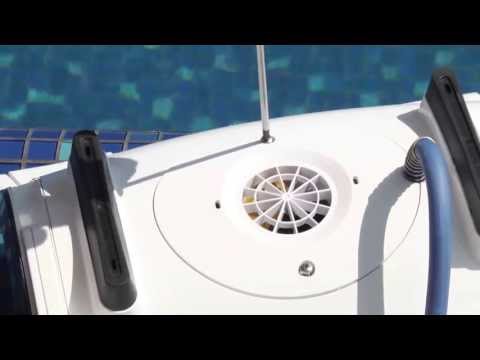
For Liberty, follow the separate cleaning guide: How to clean the Liberty impeller
You can also find impeller cleaning instructions for your Dolphin model on the online manual website.
Source: Maytronics support. Same steps and facts, rewritten for clarity; the videos and illustrations are Maytronics' own.
Replacement parts
Parts that fix this.
This answer comes down to filters and motor units & impellers. The exact part depends on the model: choose your robot and we open its parts list, or browse the category for every model.
Browse by category:FiltersMotor Units & Impellers All genuine Dolphin parts →
Still need help?

