
















Nora, Leo, Chris, Avery & Riley · Pool Experts in Georgetown, Texas Online now
How can we help?
Something wrong with a delivery or an order?
Prefer to talk? (888) 615-5728 · Mon–Fri 8am–5:30pm Central · Send a message
Browse on your own: Robot selector quiz · Manuals · Parts · Troubleshooting guides · FAQ · Shipping · Returns policy · Warranty
What's it doing?
Won't turn on, or the power supply light is blinking
- Plug the power supply straight into a working GFCI outlet — no power strip or extension cord — press the power button once and give it 30 seconds.
- Check the floating cable is clicked fully into the power supply and the plug is dry.
- Lift the robot out, rinse the filters and check the impeller under the top cover for a wedged leaf, twig or pebble — a blocked impeller stops the motor and the light blinks.
- Unplug for 30 seconds, plug back in and start again. If the light pattern repeats, note it (solid, slow blink, fast blink) before you ask us.
Won't climb the walls or clean the waterline
- Clean the filters first — clogged filters cut the suction that holds the robot to the wall.
- Let it sink completely before you start: tip it in at an angle and let the air bubble out.
- Check the brushes aren't worn smooth or jammed, and that both tracks turn freely.
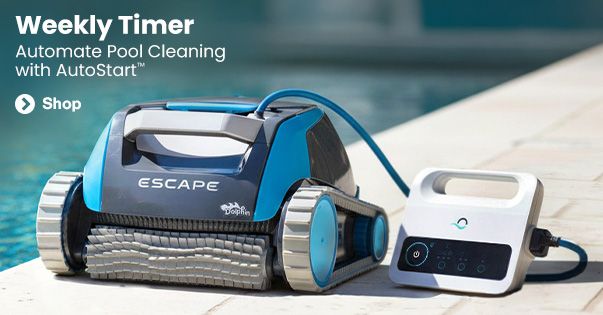
- Very slick walls — new tile, a film of algae, a heavy chemical treatment — are hard for any robot. Brush the walls once and run it again. Floor-only models (above-ground cleaners like the Dolphin Escape) aren't built to climb.
Stuck in one spot, or on the main drain
- Switch it off, pull the robot out and lay the cable out straight — a twisted cable holds it back.
- Clear the tracks, the brushes and the intake underneath of debris.
- Check it sank fully; air inside makes it hover and spin.
- Main drain: a raised or domed drain cover catches the intake. Start the robot from the shallow end facing away from the drain, or set a shorter cycle; a flat anti-vortex cover usually ends it for good.
The cable keeps tangling
- Put only the cable you need in the water; coil the rest on the deck, away from the edge.
- Lay the cable out straight in the sun for an hour so it loses its memory, then start the robot from the same spot each time.
- Make sure the swivel turns freely and the cable isn't knotted at the power supply.
- Take the robot out between cycles — a week in the water is how knots start.
Leaves debris behind, or lost suction
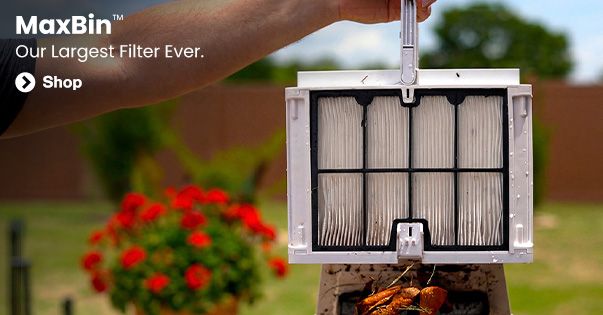
- Rinse the filters after every cycle — fine debris packs them faster than you'd think.
- Use the right filter: standard for everyday dirt, ultra-fine or NanoFilters for dust, pollen and algae, the basket or leaf bag for a heavy leaf fall.
- Run a full cycle, not a short one, and check the brushes and the intake flap move freely.
- Heavy leaf fall? Empty the basket part way through.
Floats, won't sink
- Air is trapped inside: lower it in at an angle and hold it under until the bubbles stop.
- Let it settle on the floor before you press start.
- Make sure the filter cover is latched shut and the filters are seated.
App, Wi-Fi or Bluetooth won't connect
- The power supply needs a 2.4 GHz Wi-Fi network within range of the deck — 5 GHz-only networks won't pair.
- Turn Bluetooth on and stand next to the power supply (or the robot, for a cordless model) for the first pairing, with the power on.
- Power it off and on, close and reopen the app, and check for an app update.
- Still nothing? Forget the robot in the app and pair it again from scratch. The robot cleans fine without the app — only scheduling and remote control need it.
Stops early, or shows an error
- Clean the filters and check the impeller — a blockage ends the cycle early.
- Check the cable connection and the outlet (a tripped GFCI looks like a dead robot).
- Unplug for 30 seconds and run it again. If it repeats, note the light pattern or the error code before you ask us.
Cordless robot won't charge, or dies fast
- Dry the charging contacts on the robot and the charger, then seat the robot (or the plug) firmly — a wet or dirty contact stops the charge.
- Charge indoors, out of direct sun, with the charger that came with it, until the light shows full (usually 4–6 hours).
- A battery that's run flat and left for weeks takes a few full charge cycles to come back; a short runtime after that points to a worn battery.
- Take it out of the pool when the cycle ends — a cordless robot left in the water drains and ages its battery.
Was it like this out of the box? Tell us the order number and the symptom and we'll swap it straight away. · Something broke or wore out? Find the part
Setup & first run
Corded robots (Dolphin, Aquabot, Polaris)
- Put the power supply on the deck at least 10 ft from the water, in the shade if you can, and plug it into a GFCI outlet.
- Unroll the cable completely and lay it straight.
- Lower the robot in at an angle, let the air bubble out, and let it settle on the floor.
- Press start. Leave it to finish the cycle, then lift it out by the handle or the cable loop — never by the robot alone — and rinse the filters. Pair the app later if you want schedules.
Cordless robots (Aiper, Beatbot and others)
- Charge it fully indoors before the first run — the light shows when it's done.
- Pick the cleaning mode (floor, walls, or both) on the robot or in the app, then set it in the water and let it sink.
- When the cycle ends it parks at the wall; lift it out with the hook, rinse the filter and put it back on charge.
Still need us? Send a message
Most questions are solved in seconds with the buttons above. For anything that needs a person — photos, paperwork, a special case — send a message and we reply by email, usually the same business day.
Quicker: — a teammate emails you the Return Authorization and instructions.
Ordered in the last few hours? — if it hasn't shipped yet we can usually stop it on the spot.

