













- Free 1-3 Day FedEx Shipping
- 30-Day Trial, No Restocking Fees
- Low Price Guarantee
- Authorized Dealer


None of these robots comes with a handheld remote, so remote control means an app, and only some apps let you actually steer; here is who offers what.
The Quick Answer
Straight answer first: no robot on this page ships with a handheld remote. Remote control now lives in a phone app. The Clear S comes closest to the real thing, with manual joystick driving in the Clear app. If you would rather command a Dolphin, the Sigma gives you Wi-Fi, Bluetooth, scheduling and Siri voice control, but not steering.
See All 4 PicksPeople who search for the best robotic pool cleaner with remote control usually picture a small waterproof handset and a robot that goes where they point. That handset is not in the box with any robot we recommend here. What replaced it is the phone you already carry, and depending on the robot, the app can either drive the machine like a toy car or simply tell it when and how to clean.
That split is the whole buying decision. The two Clear robots, the Clear S and the Clear UV, offer joystick steering. The two app-equipped Dolphins, the Sigma and the Quantum, offer commands: start, stop, schedule, modes. Three other Dolphins have no app at all and are run from the power supply, so they are not picks on this page.
Remote Control Picks, Closest to a True Remote First
Ranked for this job, with today's price on each. We sell every robot on this list.
-
Top Pick
Closest to a True Remote: Joystick Driving
Clear S
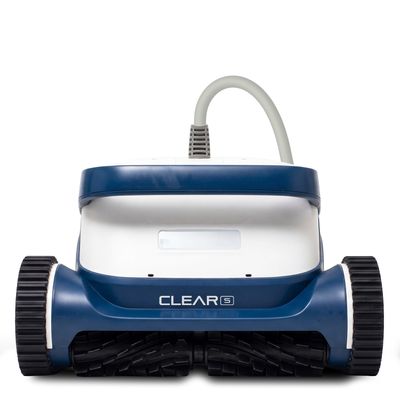
The Clear S is one of only two robots on this page that let you drive. Its Clear app includes manual joystick driving, so you can send the robot where you want it, which is as near to a handheld remote as these robots get. The same app sets weekly schedules, shows live pool temperature and switches between six modes: Regular, Ultra, Fast, Floor only, Waterline only and Custom. Most days you will let its gyroscope and accelerometer handle navigation, and use the joystick for the one patch that needs attention.
- Good Fit
- Buy this if steering the robot yourself is the feature you came for, in an in-ground pool up to 50 ft.
- Think Twice
- Skip it if you expect a physical handset. Control is through the Clear app on your phone, iOS or Android.
-
#2

Most Ways to Command a Dolphin, Siri Included
Dolphin Sigma
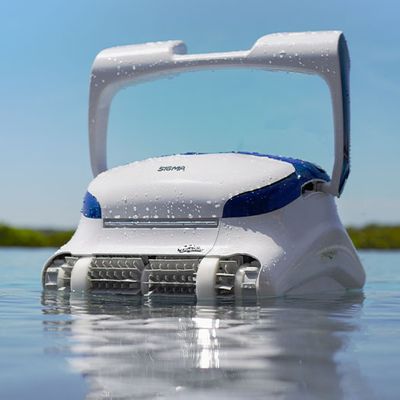
The Sigma does not steer by joystick, and we will not pretend it does. What it offers is the widest set of remote commands of the Dolphins on this page: the myDolphin Plus app over both Wi-Fi and Bluetooth, a weekly scheduler that sets the day and time of each clean, a filter alert on your phone, and Siri voice control. Because SmartNav 3.0 with an onboard gyroscope handles the route, there is less reason to intervene in the first place. You tell it when; it works out where.
- Good Fit
- Buy this if remote control to you means scheduling, alerts and voice commands, not driving the robot around.
- Think Twice
- Skip it if joystick steering is what you want, or if the top price on this page is more than you planned to spend.
-
#3
Joystick Control Plus an App-Controlled UV-C Light
Clear UV
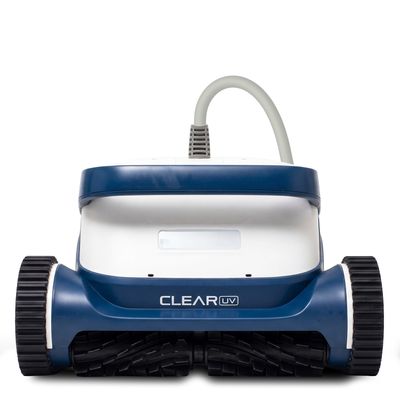
Everything about remote control on the Clear S applies to the Clear UV: manual joystick driving, weekly schedules, live pool temperature and six modes in the Clear app. The one difference is a built-in UV-C light, which is also controlled from the app, so the phone has one more thing to switch. It sits third because it adds nothing to the steering or the commands and costs more than the Clear S. If the light appeals to you as a feature, this is the version to buy. If you only want the remote, save the difference.
- Good Fit
- Buy this if you want joystick driving and also want the UV-C light, both run from the same app.
- Think Twice
- Skip it if steering is all you are after. The Clear S has identical remote features at a lower price.
-
#4
Lowest-Priced App Control on This Page
Dolphin Quantum
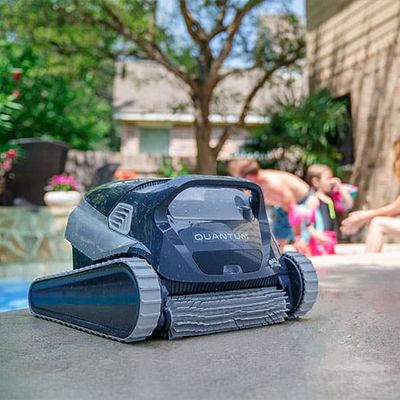
The Quantum brings app control down to the middle of the price range. Through myDolphin Plus over Wi-Fi you can start and stop a cycle, set a schedule, choose a cleaning mode and receive alerts. There is no joystick. What it has that the others here do not list is a second way in: a weekly timer on the power supply, set to run every day, every 2 days or every 3 days, which works with no phone and no Wi-Fi. That fallback can be worth more than a longer feature list.
- Good Fit
- Buy this if you want start, stop, schedules and modes from your phone at the lowest price here.
- Think Twice
- Skip it if you want to steer, or want Bluetooth as a backup: its published connection is Wi-Fi. Warranty is 2 years.
What Counts as Remote Control
-
Steering Versus Commanding
Steering means you direct the robot's movement in real time. Commanding means you choose when it runs and in what mode, and the robot navigates itself. Only the Clear app offers manual joystick driving. The Dolphin apps command.
-
How the App Connects
Dolphin publishes the connection for its apps: Wi-Fi and Bluetooth on the Sigma, Wi-Fi on the Quantum. Wi-Fi control depends on your home network reaching the pool area, so check the signal out there before you count on it.
-
What You Can Change From the Phone
Look past start and stop. Useful remote features are schedules, a choice of cleaning modes, and alerts when the filter needs attention. The Clear app adds live pool temperature. The Sigma adds voice control through Siri.
-
What Works Without the Phone
Phones die, apps update, Wi-Fi drops. A robot that can still be scheduled at the power supply is less dependent on all three. The Quantum's weekly timer is set on the power supply and needs no phone or Wi-Fi.
App, Scheduling and Control Specs
Published specs for the picks above, with today's price.
| Specification | Clear S | Dolphin Sigma | Clear UV | Dolphin Quantum |
|---|---|---|---|---|
| Price Today | $1749 | $2349 | $1999 | $1599 |
| Cleans | Floor, walls and waterline | Floor, walls and waterline | Floor, walls and waterline | Floor, walls, waterline, sun shelves and stairs |
| Scheduling | Weekly schedules in the Clear app | Weekly scheduler by day and time | Weekly schedules in the Clear app | Weekly timer: every day, every 2 days or every 3 days |
| App | Clear app (iOS and Android) | myDolphin Plus (Wi-Fi and Bluetooth) | Clear app (iOS and Android), with UV-C light control | myDolphin Plus (Wi-Fi) |
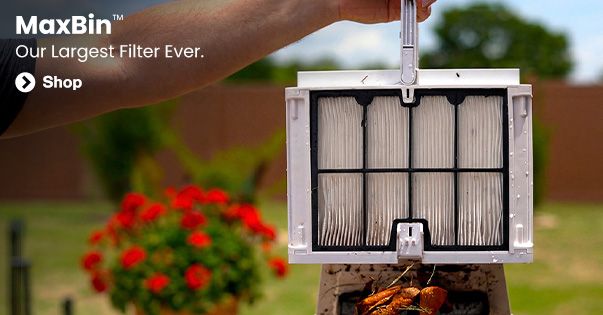
| Filtration | UltraFilter basket: 1-micron fine and 180-micron coarse panels | NanoFilters and standard filter cartridges | UltraFilter basket: 1-micron fine and 180-micron coarse panels | XXL MaxBin basket with standard and NanoFilter panels |
| Brushes | Front and rear active brushes | Quad scrubbing brushes | Front and rear active brushes | Dual HyperBrush |
| Navigation | Gyroscope and accelerometer | SmartNav 3.0 with gyroscope | Gyroscope and accelerometer | SmartNav 2.0 |
| Cable | 59 ft anti-tangle | 55 ft with 360° anti-tangle swivel | 59 ft anti-tangle | 55 ft with anti-tangle swivel |
| Warranty | 3 years (limited) | 3 years | 3 years (limited) | 2 years |
| Shop | Shop the Clear S | Shop the Sigma | Shop the Clear UV | Shop the Quantum |
What Remote Control Means on a Pool Robot Today
A dedicated handset used to be a selling point on premium robots. On the seven robots these guides cover, it is gone: none includes a handheld remote. The job moved to phone apps, which can do more than a handset did, at the cost of needing a charged phone and a working connection.
So when a listing says remote control, read the detail. It may mean joystick driving, as on the Clear S and Clear UV. It may mean commands and schedules, as on the Sigma and Quantum. Those are different experiences. If you want to point the robot at a pile of leaves, only the first kind will do it.
How Often You Will Actually Steer
Less than you think. A robot that navigates properly covers the pool without help, and standing at the edge driving it for two hours defeats the purpose of owning one. Manual steering is for spot-cleaning: a drift of leaves in one corner after a storm, a patch of sand under the steps, the area the kids churned up an hour before guests arrive.
That makes the joystick a convenience, not a necessity. If your pool regularly collects debris in one known spot, it is a real one. If it does not, schedules and alerts will matter to you far more often than the ability to drive. Our 30-day trial with no restocking fees is long enough to find out how often you reach for the joystick.
The Dolphins Without an App
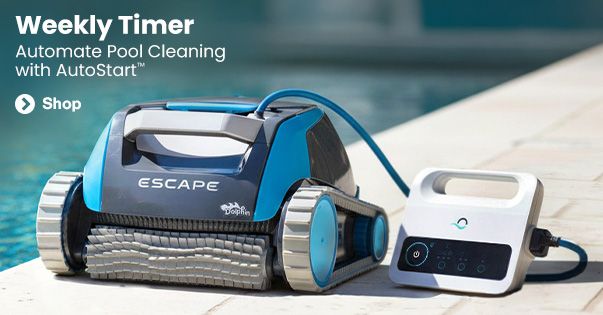
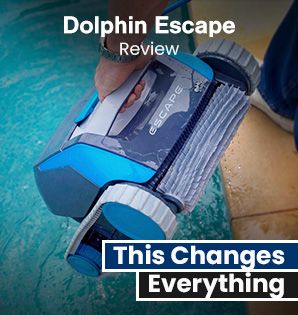
Three Dolphins are controlled entirely at the power supply: the Dolphin Premier, the Dolphin Cayman and the Dolphin Escape. They have no app and no wireless control, so they cannot be picks on a remote control page. That does not make them hard to live with. The Premier has a weekly timer on its power supply, and the Cayman's timer runs a cycle every day. A timer for the Escape is an optional upgrade.
If what you really want is a pool that stays tidy without you thinking about it, a timer does that with no phone involved. If you want to interact with the robot from a lounge chair, stay with the four picks.
Before You Rely on the App
- Stand where the power supply will sit and check your phone's Wi-Fi signal. A weak signal there means a flaky connection later.
- Install the app and pair the robot before the first cycle, while the manual is still in your hand.
- Save a weekly schedule first, then explore the extras. A schedule does most of the work people expect a remote to do.
- Steer manually only with the robot in view and the water clear enough to see it. You cannot place it accurately if you cannot see it.
Remote Control Questions
Does any robotic pool cleaner with remote control still include a handheld remote?
None of the robots on this page does. The Clear S, Clear UV, Sigma and Quantum are controlled through phone apps, and the other three Dolphins are run from the power supply, with no remote of any kind. If a physical handset is essential to you, tell us before ordering so nobody is disappointed.
Can I steer a Dolphin robot from my phone?
Not by joystick. The myDolphin Plus app on the Sigma and Quantum handles start, stop, scheduling and cleaning modes, and the robot steers itself. For real-time manual driving, the Clear S and Clear UV are the robots to look at.
Can I start the robot when I am not at home?
The Sigma and Quantum connect through myDolphin Plus over Wi-Fi, which is the kind of connection remote access relies on. We do not state a connection type for the Clear app, so check its product page. For any robot, the surest way to clean while you are away is a saved schedule.
Does voice control work with a pool robot?
On the Sigma, yes: it supports Siri voice control alongside the myDolphin Plus app. Voice control is not listed for the other robots on this page. It is a start-the-clean convenience, useful when your hands are full, and not a way to direct the robot around the pool.
What happens if my phone dies or the Wi-Fi goes down?
On the Quantum, nothing changes for scheduled cleaning: its weekly timer is set on the power supply and runs without a phone or Wi-Fi. For the Sigma and the Clear robots, check the manual for the controls on the power supply, so you know how to start a cycle by hand before you need to.
Still have questions? Browse our pool robot troubleshooting guides, contact our pool experts, or call (888) 615-5728

Which Kind of Remote Do You Want
If you want to drive the robot, buy the Clear S, or the Clear UV if you also want the light. If you want to command it by app and voice and let it steer itself, buy the Sigma. If you want app control for the least money, with a timer that works when the phone does not, buy the Quantum. And if all you want is a clean pool on a schedule, you may not need remote control at all. Ask our pool experts if you are unsure.

