














- Free 1-3 Day FedEx Shipping
- 30-Day Trial, No Restocking Fees
- Low Price Guarantee
- Authorized Dealer


A repeat timer cleans on a loop. Real scheduling lets you choose the days and hours, and that difference decides which of these five robots fits your week.
The Quick Answer
For scheduling you set once and forget, buy Clear S: weekly schedules in the Clear app, with cycle modes from one to three hours to suit the time you have. The Dolphin Sigma is the Dolphin to choose for a weekly scheduler by day and time. If a simple every-2-days repeat is all you need, the Premier does it with no phone at all.
See All 5 PicksEvery robot on this page can clean without you standing over it. The difference is how much say you get in when. A repeat timer starts a cycle every day, every 2 days or every 3 days, and that is the whole menu. The best robotic pool cleaner with automatic scheduling goes further: you choose the days of the week, and with the right app the hour, from your phone.
Whether you need that depends on what else happens at your pool. A service tech on Thursdays, a pump on its own clock or kids who swim every afternoon all argue for a schedule you control. If none of that applies, a preset timer is simpler and there is nothing wrong with it. The Quantum and Clear UV round out the list.
Our Top Picks for Automatic Scheduling
Ranked for this job, with today's price on each. We sell every robot on this list.
-
Top Pick
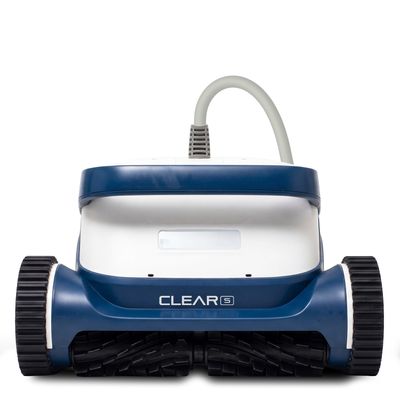
Best Scheduling Value: Weekly App Schedules, Six Modes
Clear S
Clear S puts weekly schedules in the Clear app for iOS and Android, so you choose the days it runs from your phone. It also gives you the widest choice of cycle length here, with modes from Fast at one hour through Regular at two to Ultra at three, so a clean can be matched to the time you have. It sits below the Sigma on price (check the live price on each card) and carries a 3-year limited warranty.
- Good Fit
- Buy this if you want weekly scheduling from your phone, in an in-ground pool up to 50 ft, for less than the Sigma.
- Think Twice
- Skip this if you would rather set a timer on the power supply and never open an app.
-
#2
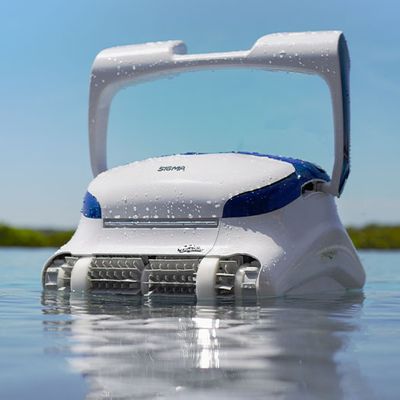

Best Dolphin Scheduler: By Day and Time
Dolphin Sigma
The Sigma has the most exact scheduling on a Dolphin: a weekly scheduler by day and time in the myDolphin Plus app, over Wi-Fi and Bluetooth. Tuesday at dawn, Friday at noon, nothing on service day: that is the kind of plan it is built for. A filter alert in the app tells you when a scheduled run needs an empty cartridge first. The warranty is 3 years. It is second only because it is the highest-priced pick here.
- Good Fit
- Buy this if your week has fixed commitments and you want cleanings set to the day and the hour.
- Think Twice
- Skip this if that precision is not worth the highest price on this page. A repeat timer costs far less.
-
#3
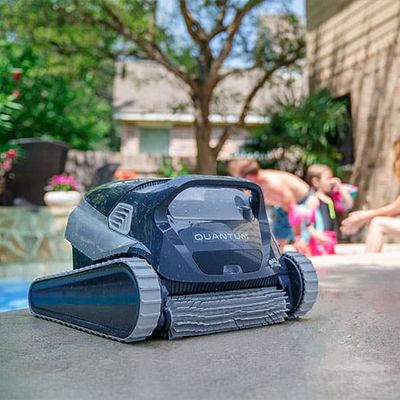
Best of Both: App Schedules Plus a Backup Timer
Dolphin Quantum
The Quantum schedules two ways. In the myDolphin Plus app, over Wi-Fi, you can start, stop and schedule cycles and choose cleaning modes. On the power supply there is a weekly timer with three presets: every day, every 2 days or every 3 days. Set the timer and the pool gets cleaned whether or not your phone or your router is cooperating that week. It is the lowest-priced 50 ft robot on this page, and it ranks third because its warranty is 2 years.
- Good Fit
- Buy this if you want app scheduling without depending on it, at the lowest price of the five.
- Think Twice
- Skip this if you want a warranty longer than 2 years; the other four picks carry 3.
-
#4
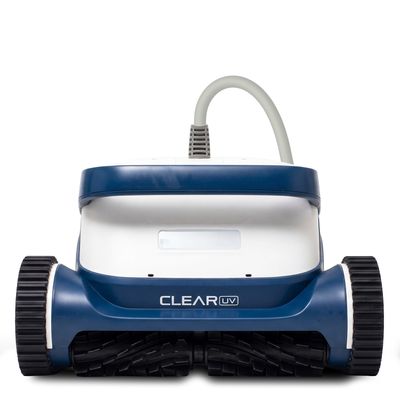
Same Clear Scheduling, Plus an App-Controlled UV-C Light
Clear UV
Everything we said about scheduling on the Clear S applies to the Clear UV: weekly schedules in the Clear app, six modes from one to three hours and a 3-year limited warranty. The one addition is a built-in UV-C light that you control from the same app. It costs more than the Clear S, and the light has no bearing on when or how often the robot cleans, so on a page about scheduling it lands fourth.
- Good Fit
- Buy this if you want Clear's weekly app scheduling and have your own reason to want the UV-C light.
- Think Twice
- Skip this if scheduling is the goal. The Clear S gives you the identical schedule for less.
-
#5
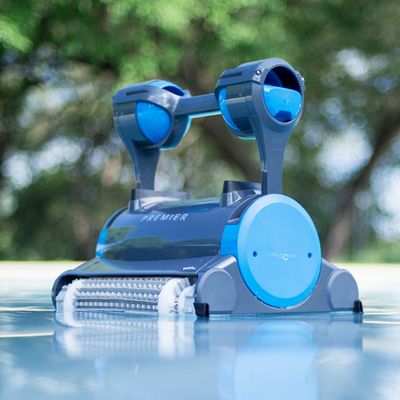
Best No-Phone Option: A Preset Repeat Timer
Dolphin Premier
The Premier's scheduling is the simplest here and, by the standard of this page, the most limited. Its weekly timer lives on the power supply and offers three settings: every day, every 2 days or every 3 days. You cannot name weekdays or hours, and there is nothing to pair, update or log into. For many pools that is all the automation required, and it comes with Multi-Media filtration and a 3-year warranty. It is fifth for scheduling, not for cleaning.
- Good Fit
- Buy this if a simple repeat covers your needs and you never want to open an app.
- Think Twice
- Skip this if the robot must avoid a service day or run at a set hour. A preset interval cannot promise either.
What Separates a Schedule From a Timer
-
Choosing Days, Not Just Intervals
An interval timer counts days from the last cycle. A weekly schedule runs on the days you name, so Monday, Wednesday and Saturday stay put. That matters as soon as anything else at the pool follows the calendar.
-
Choosing the Hour
Running overnight, after the pump shuts off, or the morning after a service visit needs control of the clock as well as the calendar. App scheduling is where that control lives.
-
A Cycle Length That Fits the Window
A schedule is only useful if the cycle fits the gap you have. Cycle times here run from one hour to three. A short window before the first swim calls for a short cycle; an overnight slot can take the longest.
-
A Fallback That Needs No Phone
Apps depend on a phone, an account and a connection. A timer set on the power supply depends on none of them. One pick here offers both, which is worth having if the signal at your pool is patchy.
Scheduling Picks Compared
Published specs for the picks above, with today's price.
| Specification | Clear S | Dolphin Sigma | Dolphin Quantum | Clear UV | Dolphin Premier |
|---|---|---|---|---|---|
| Price Today | $1749 | $2349 | $1599 | $1999 | $1949 |
| Cleans | Floor, walls and waterline | Floor, walls and waterline | Floor, walls, waterline, sun shelves and stairs | Floor, walls and waterline | Floor, walls and waterline |
| Scheduling | Weekly schedules in the Clear app | Weekly scheduler by day and time | Weekly timer: every day, every 2 days or every 3 days | Weekly schedules in the Clear app | Weekly timer: every day, every 2 days or every 3 days |
| App | Clear app (iOS and Android) | myDolphin Plus (Wi-Fi and Bluetooth) | myDolphin Plus (Wi-Fi) | Clear app (iOS and Android), with UV-C light control | No app; controls on the power supply |
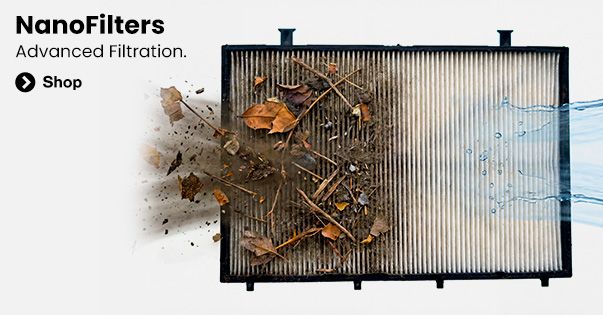
| Filtration | UltraFilter basket: 1-micron fine and 180-micron coarse panels | NanoFilters and standard filter cartridges | XXL MaxBin basket with standard and NanoFilter panels | UltraFilter basket: 1-micron fine and 180-micron coarse panels | Multi-Media: NanoFilters, oversized leaf bag and standard fine filters |
| Brushes | Front and rear active brushes | Quad scrubbing brushes | Dual HyperBrush | Front and rear active brushes | Dual scrubbing brushes |
| Navigation | Gyroscope and accelerometer | SmartNav 3.0 with gyroscope | SmartNav 2.0 | Gyroscope and accelerometer | SmartNav 2.0 |
| Cable | 59 ft anti-tangle | 55 ft with 360° anti-tangle swivel | 55 ft with anti-tangle swivel | 59 ft anti-tangle | 55 ft with 360° anti-tangle swivel |
| Warranty | 3 years (limited) | 3 years | 2 years | 3 years (limited) | 3 years |
| Shop | Shop the Clear S | Shop the Sigma | Shop the Quantum | Shop the Clear UV | Shop the Premier |
How Each Robot Schedules
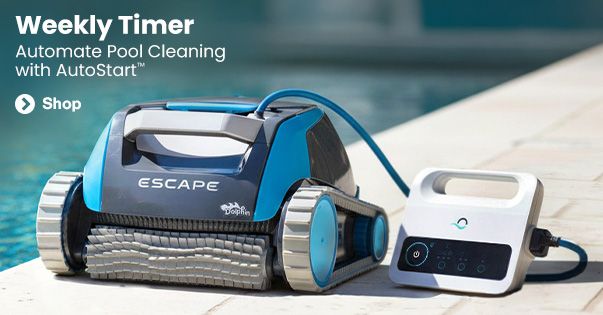
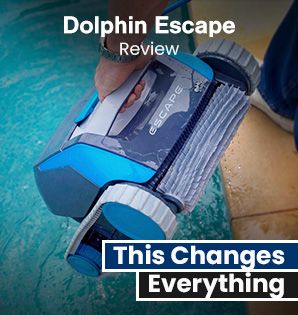
Here is the whole field in one place, including the two robots that did not make the list. The Dolphin Cayman has a timer on the power supply with a single setting, every day: automatic, but not adjustable. The Dolphin Escape has no timer in the box; an optional Automation Timer power supply adds repeats every 24, 48 or 72 hours. Both are good robots for pools up to 33 ft. They are simply not scheduling robots, so they sit outside this ranking.
| Robot | Where You Set It | What You Can Choose |
|---|---|---|
| Clear S and Clear UV | Clear app | Weekly schedules; six modes from 1 to 3 hours |
| Dolphin Sigma | myDolphin Plus app | Weekly schedule by day and time |
| Dolphin Quantum | Power supply or myDolphin Plus app | Timer: every day, every 2 days or every 3 days; schedules in the app |
| Dolphin Premier | Power supply only | Every day, every 2 days or every 3 days |
| Dolphin Cayman | Power supply only | Every day; no other setting |
| Dolphin Escape | Optional Automation Timer power supply | Every 24, 48 or 72 hours |
When Exact Timing Earns Its Keep
A repeat timer is fine until the pool has a calendar of its own. These are the situations where choosing days and hours pays off.
- Overnight: nobody is swimming, the day's debris has settled and the floor is clean by breakfast.
- Around the service visit: the robot should be out when chemicals go in and back at work the next day. A weekly schedule skips service day; an interval timer lands on it sooner or later.
- While the pump is off: with circulation stopped, fine debris settles on the floor where the robot can collect it.
- Between swims: a slot during school hours keeps the robot and its cable out of a pool people are using.
What a Schedule Cannot Do
A schedule starts the robot. It does not empty the filter, and a robot sent out three times on a full basket does three poor jobs. Lift it out at least weekly, more often in leaf season, and rinse the filter. A schedule also does not know you shocked the pool this morning, so take the robot out before chemicals go in and return it once the water is balanced. And if the pool will sit unused for a long stretch, store the robot dry and out of the sun.
Setting a Schedule That Works
- Write down the fixed events first: service day, pump hours, the times people swim. Schedule the robot into the gaps.
- Start with three cleanings a week, watch the floor for two weeks, then add or drop a day.
- Never schedule a run for the day chemicals go in. Give the water time to balance first.
- Pick one day a week as filter day and tie it to something you already do.
Scheduling Questions, Answered Straight
Does the best robotic pool cleaner with automatic scheduling need a phone?
The top two do. Clear S schedules through the Clear app and the Sigma through myDolphin Plus. The Quantum gives you a choice: schedule in the app, or use the weekly timer on its power supply with no phone involved. The Premier is timer-only.
Can I set a robot to skip the day my pool service comes?
Yes, with a weekly schedule. The Sigma's scheduler is set by day and time, and the Clear app builds weekly schedules, so cleanings land on the days you name. A repeat timer cannot do this: every 2 or 3 days drifts through the week and will meet service day eventually.
Should a scheduled robot run while the pump is on or off?
Either works, but off is often better. With the pump stopped, suspended debris settles to the floor, where the robot collects it. If your pump runs on a timer, schedule the robot into its off hours. If the pump runs around the clock, pick the quietest part of the day.
Do scheduled cleanings still run if my internet goes out?
A timer set on the power supply does: the Premier and Quantum timers need no phone or Wi-Fi. For schedules created in an app we will not promise behavior during an outage. If the connection at your pool is unreliable, the Quantum is the pick with both an app and a power-supply timer to fall back on.
Still have questions? Browse our pool robot troubleshooting guides, contact our pool experts, or call (888) 615-5728

Which Level of Scheduling to Buy
Match the robot to your calendar. A pool with fixed events (a service day, pump hours, daily swims) deserves a real schedule: Clear S for the price, the Sigma for day-and-time precision on a Dolphin. If you want an app but not to depend on one, the Quantum's power-supply timer is your insurance. If the pool has no calendar to work around, a simple repeat timer is enough, and the Premier has one. Still deciding? Ask our pool experts.

