















- Free 1-3 Day FedEx Shipping
- 30-Day Trial, No Restocking Fees
- Low Price Guarantee
- Authorized Dealer


A hands-free robot starts on its own, covers the pool without help and holds enough debris to last the week. Here is who does that best, and what stays your job.
The Quick Answer
The Dolphin Sigma is our hands-free pick: its app schedules cleaning by day and time, a gyroscope guides it over floor, walls and waterline, and a filter alert tells you when to empty. The Dolphin Quantum runs it close for less money, with a power-supply timer, a Wi-Fi app and an XXL basket. Choose it if you would rather not rely on an app.
See All 5 PicksNobody buys a robot because they enjoy pool chores. The best robotic pool cleaner for hands-free cleaning is the one that removes the most decisions from your week: when to start it, where to put it, and whether the filter is full. In practice that comes down to three tests.
It has to start itself, from a timer or an app schedule. It has to reach floor, walls and waterline in one cycle without being moved. And it has to hold enough debris that you are not emptying it midweek. We rank five robots against those tests, then name the two jobs no robot here does for you.
Our Hands-Free Picks, Ranked
Ranked for this job, with today's price on each. We sell every robot on this list.
-
Top Pick

Schedules, Navigates and Reports on Its Own
Dolphin Sigma
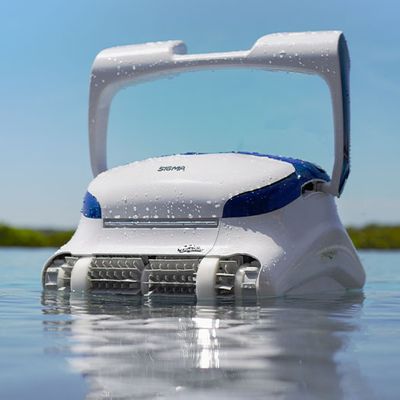
The Sigma passes all three tests with the most automation. The myDolphin Plus app, over Wi-Fi and Bluetooth, schedules cleaning by day and time for the whole week, and Siri voice control can start a cycle. SmartNav 3.0 with an onboard gyroscope steers it methodically across floor, walls and waterline.
Then it tells you when it needs attention: a filter alert in the app replaces guesswork. Three commercial-grade ProLine motors, 4,500 GPH and quad scrubbing brushes mean one 2.5-hour cycle does the work.
- Good Fit
- Buy this if you want the pool handled from your phone, with alerts when the filter needs you.
- Think Twice
- Skip it if you want the lowest price or the lightest lift. It is the highest-priced pick and weighs 24.6 lb.
-
#2
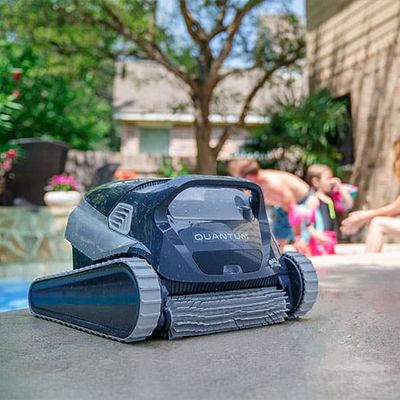
XXL Basket and Shelf-to-Stairs Coverage
Dolphin Quantum
The Quantum starts itself either way you like: a weekly timer on the power supply with every-day, every-2-days and every-3-days settings, or schedules in the myDolphin Plus app over Wi-Fi. If the Wi-Fi drops, the timer still runs.
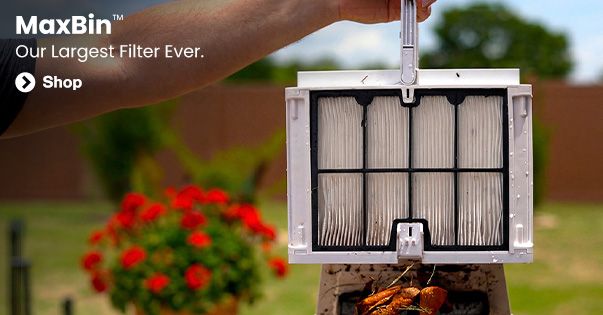
Its coverage list is the longest here: floor, walls, waterline, sun shelves, Baja ledges and stairs. The XXL MaxBin basket gives debris room to pile up between visits, then opens from the top in one click. It ranks second because the Sigma adds gyroscope navigation, day-and-time scheduling and a longer warranty.
- Good Fit
- Buy this if your pool has a sun shelf or wide stairs, or you want a timer that needs no phone.
- Think Twice
- Skip it if you want gyroscope navigation or the longest warranty. The Quantum has neither.
-
#3
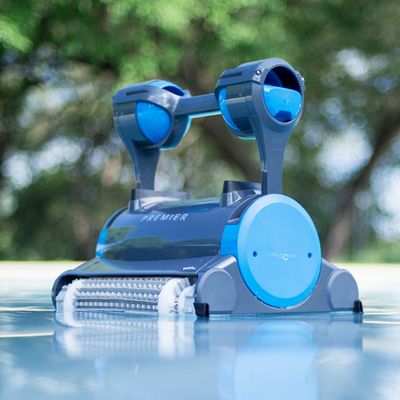
Hands-Free With No Phone Required
Dolphin Premier
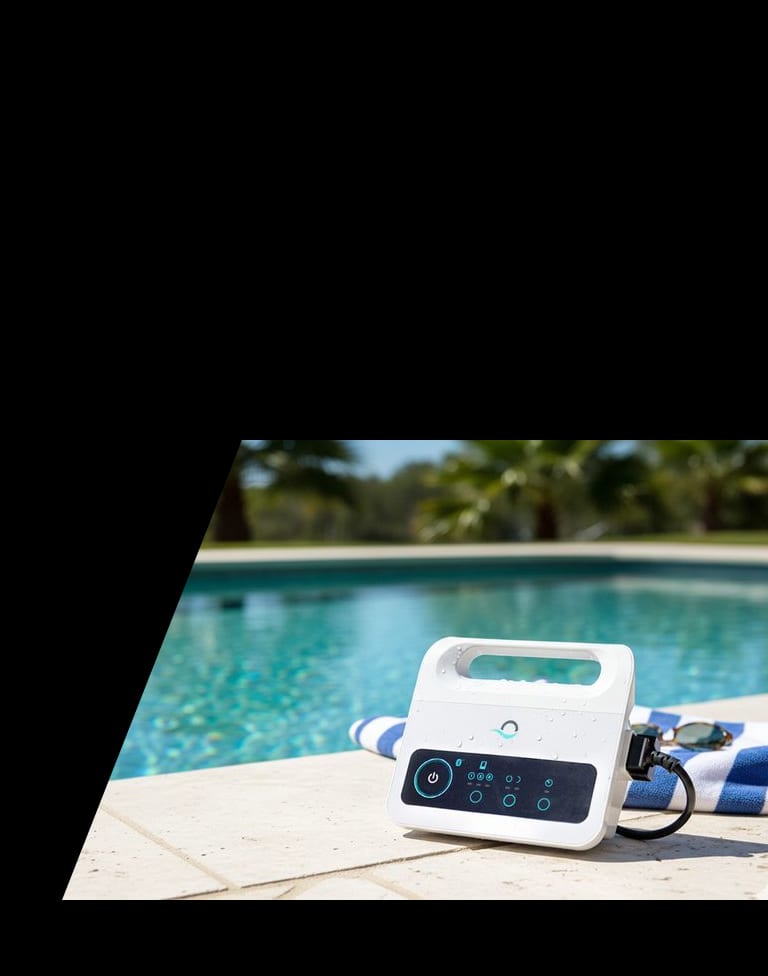
The Dolphin Premier proves hands-free does not need an app. Its weekly timer is set on the power supply, with every-day, every-2-days and every-3-days presets, and a full-filter indicator on the same unit shows at a glance whether a trip to the pool is needed. Nothing to pair, nothing to update.
It covers floor, walls and waterline on a 3-hour cycle at 4,500 GPH. For capacity, fit the oversized leaf bag from the Multi-Media set: it is the option to choose when leaves would fill an ordinary filter midweek.
- Good Fit
- Buy this if you want a robot that runs itself from the power supply, especially under trees.
- Think Twice
- Skip it if you want to start or check the robot remotely. There is no app, and the cycle runs 3 hours.
-
#4
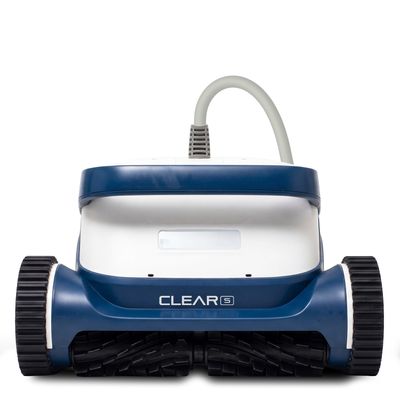
App Schedules With the Highest Flow Here
Clear S
The Clear S earns its place on power and precision. It moves 8,500+ GPH, the highest flow in this guide, with front and rear active scrubbing brushes on floor, walls and waterline. A gyroscope and accelerometer guide it, and coverage tightens after two or three cycles.
Weekly schedules are set in the Clear app, so it starts itself, and the UltraFilter basket uses 1-micron fine and 180-micron coarse panels. It sits fourth because scheduling is app-based only, with no timer on the power supply, and we would rather have both.
- Good Fit
- Buy this if you want strong flow, fine filtration and app scheduling on an in-ground pool up to 50 ft.
- Think Twice
- Skip it if you want hands-free with no phone at all. Its schedules live in the Clear app.
-
#5
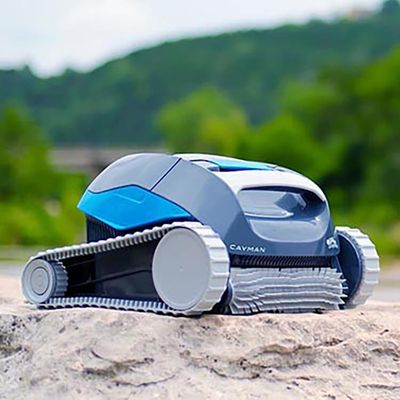

Simplest Self-Starter for Pools up to 33 ft
Dolphin Cayman
The Dolphin Cayman passes the first test more simply than anything else here: its timer has one setting, every day, and you set it once on the power supply. The MaxBin basket is 50% larger than standard Dolphin filters and empties through a top hatch with one tab.
It ranks fifth because it covers two of the three surfaces. The Cayman cleans floor and walls, not the waterline, so the tile line stays a brush job for you. Its rating covers in-ground and above-ground pools up to 33 ft.
- Good Fit
- Buy this if your pool is 33 ft or under and you want daily cleaning with no app.
- Think Twice
- Skip it if the waterline matters or you want to choose which days it runs. Floor and walls only, every day only.

The Tests of a Hands-Free Robot
-
It Starts Itself
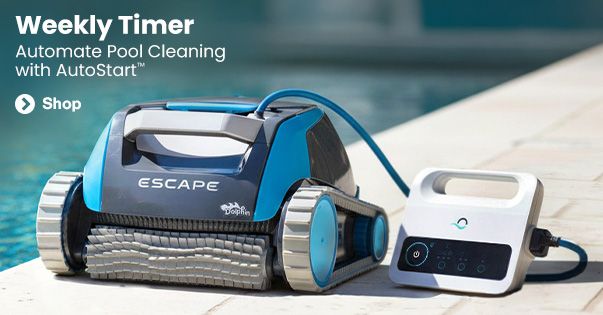
A robot you have to walk out and switch on is not hands-free. Look for a weekly timer on the power supply or a schedule in an app. Either lets the robot stay in the pool between scheduled cycles and begin the next one with nobody home.
-
It Covers the Pool Unaided
Coverage means floor, walls and waterline, found by the robot's own navigation with no repositioning by you. Scanning software, a gyroscope and a swivel on the cable all help it finish the pool in one cycle.
-
It Holds a Week of Debris
Capacity decides how often you are called back. A large basket or leaf bag can take several cycles of debris before flow drops. A small filter under trees fills in a day, and the remaining scheduled cycles then accomplish little.
-
Bonus: It Tells You When It Needs You
The best hands-free robots report in. A filter alert in an app or a full-filter indicator on the power supply replaces the habit of pulling the robot out just to check. You go to the pool when there is something to do.
Hands-Free Features Compared
Published specs for the picks above, with today's price.
| Specification | Dolphin Sigma | Dolphin Quantum | Dolphin Premier | Clear S | Dolphin Cayman |
|---|---|---|---|---|---|
| Price Today | $2349 | $1599 | $1949 | $1749 | $1049 |
| Power | Corded, plugs into a standard outlet | Corded, plugs into a standard outlet | Corded, plugs into a standard outlet | Corded, plugs into a standard outlet | Corded, plugs into a standard outlet |
| Scheduling | Weekly scheduler by day and time | Weekly timer: every day, every 2 days or every 3 days | Weekly timer: every day, every 2 days or every 3 days | Weekly schedules in the Clear app | Timer: every day |
| App | myDolphin Plus (Wi-Fi and Bluetooth) | myDolphin Plus (Wi-Fi) | No app; controls on the power supply | Clear app (iOS and Android) | No app; controls on the power supply |
| Robot weight | 24.6 lb | 18.3 lb | 20.3 lb | — | 14.6 lb |
| Filter access | Cartridges | Top-load, one-click open | Top-load, no tools | — | Top hatch, one-tab emptying |
| Cycle time | 2.5 hours | 2 hours | 3 hours | 1, 2 or 3 hours (six modes) | 2 hours |
| Cleans | Floor, walls and waterline | Floor, walls, waterline, sun shelves and stairs | Floor, walls and waterline | Floor, walls and waterline | Floor and walls |
| Warranty | 3 years | 2 years | 3 years | 3 years (limited) | 2 years |
| Shop | Shop the Sigma | Shop the Quantum | Shop the Premier | Shop the Clear S | Shop the Cayman |
The Two Jobs That Stay Hands-On
No robot in this guide empties itself, and none climbs out of the pool. Those two jobs are yours.
Emptying the filter is the regular one. Plan on once a week at least, and more when leaves are coming down, because a robot with a full filter runs its schedule without picking much up. Top access keeps it quick on the Premier, Quantum and Cayman. The Sigma uses cartridges.
Lifting the robot out is the other. A scheduled robot is built to wait in the water between cycles, so this is a weekly lift, not a daily one. It also comes out before any shock or chemical treatment. If carrying it is the sticking point, a caddy handles that part.
Setting Up a Week You Do Not Have to Think About
Hands-free is mostly decided on day one. Place the power supply at the middle of the pool's long side, set back by the distance your manual gives, so the cable reaches every corner. Lay the cable out straight. Then choose a schedule and give it two weeks before you judge it.
- Light debris or a covered pool: every 3 days is often enough on the Premier or Quantum timer.
- Open pool with trees or pets: every day or every 2 days.
- App models: check that the home Wi-Fi reaches the spot where the power supply sits.
What Hands-Free Does Not Cover
A robot cleans the surfaces it can drive on. It does not skim the water surface, empty the skimmer or pump baskets, test the water, or replace sanitizer, and during an algae treatment the walls still need brushing by hand. Most robots also leave the top step and very shallow ledges alone. The Quantum is the exception in this group, with sun shelves, Baja ledges and stairs on its coverage list.
So think of hands-free as taking the vacuuming and scrubbing off your list, not the pool.
Settings That Make the Week Run Itself
- Turn on every alert your robot offers. On the Sigma, the filter alert in the app means the robot calls you, not the other way around.
- Fit the right filter for the season: fine media for dust and pollen, the larger-capacity option when leaves are falling.
- Keep floats and toys out of the pool on cleaning days. A snagged cable is a common reason a robot misses a section.
- Before a party weekend or a forecast storm, empty the filter early so the robot starts the busy stretch with full capacity.
Hands-Free Cleaning Questions
Can a robotic pool cleaner for hands-free cleaning really run all week without me?
It can run its scheduled cycles on its own, yes. All five picks start themselves, from a timer on the power supply or from an app schedule. What they cannot do is empty their own filter, so expect one visit a week, and more when leaves are falling.
Do I need Wi-Fi for a robot to clean on a schedule?
No. The Premier, Quantum and Cayman timers are set on the power supply and need no phone or Wi-Fi. Wi-Fi matters when you want app features: the Sigma and Quantum use the myDolphin Plus app for scheduling and alerts.
Is an app or a power-supply timer the better way to automate a robot?
A timer is simpler and keeps working whatever the Wi-Fi does. An app gives finer control: the Sigma schedules by day and time and sends a filter alert. The Quantum offers both. If you never want to open an app, buy a robot with a timer on the power supply.
How do I know when the filter is full without checking?
On the Sigma, a filter alert arrives in the app. On the Premier, a full-filter indicator lights on the power supply. The Quantum's app sends alerts as well. With the Cayman there is no indicator, so look in the basket weekly through the top hatch.
Can I start the robot by voice?
On the Sigma, yes: it works with Siri voice control. None of the other robots in this guide lists voice control. A schedule makes the question mostly moot, but voice is a handy way to trigger an extra cycle after a storm.
Still have questions? Browse our pool robot troubleshooting guides, contact our pool experts, or call (888) 615-5728

The Hands-Free Decision
Ask which of the three tests your pool makes hardest. If you want the robot to manage itself and report back, buy the Sigma. If you want a timer that needs no phone plus shelf and stair coverage, buy the Quantum. Under trees with no interest in apps, the Premier. For flow and fine filtration by app, the Clear S. For a pool of 33 ft or less where floor and walls are enough, the Cayman.

