
















- Free 1-3 Day FedEx Shipping
- 30-Day Trial, No Restocking Fees
- Low Price Guarantee
- Authorized Dealer


You are not there to see the leaves fall. These robots can be started from a phone or handed to a caretaker, and we explain the limits before you rely on one.
The Quick Answer
The Dolphin Sigma is our pick for a vacation home: start or schedule it over Wi-Fi from wherever you are, get a filter alert on your phone, and count on a 3-year warranty. The Dolphin Quantum does remote start for less and adds a power-supply timer that works even when the house Wi-Fi is switched off. Choose it if your internet goes dark between visits.
See All 5 PicksA second-home pool has a problem a primary pool does not: nobody is looking at it. Leaves land, dust settles, and the first hour of every visit goes to cleaning. The best robotic pool cleaner for vacation homes shortens that hour, either because you can start it from your phone before you arrive or because whoever looks after the property can run it without a lesson.
A robot is not something to leave in the water for weeks while the house is empty: during long absences it belongs in storage, and a scheduled robot with a full basket stops cleaning anyway. So we rank robots for the setups that really work.
Our Top Picks for Vacation Home Pools
Ranked for this job, with today's price on each. We sell every robot on this list.
-
Top Pick
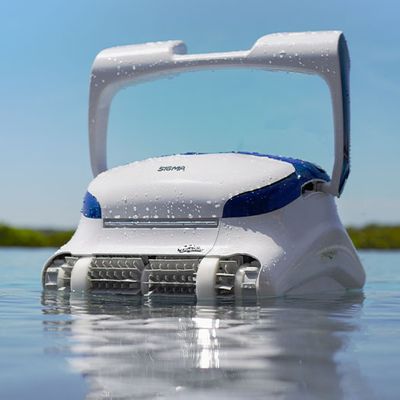

Start, Schedule and Monitor From Anywhere
Dolphin Sigma
The Sigma gives an absent owner the most information and the most control. Through the myDolphin Plus app over Wi-Fi you can start a cycle before you travel, or set the scheduler by day and time to match the dates you are in residence. A filter alert in the app tells you from far away that the filter needs emptying, so you can message whoever has the key.
The 3-year warranty suits a robot that spends part of each year in storage.
- Good Fit
- Buy this if you want to start, schedule and monitor the robot from your phone while away.
- Think Twice
- Skip it if the house Wi-Fi is off between stays or does not reach the pool.
-
#2
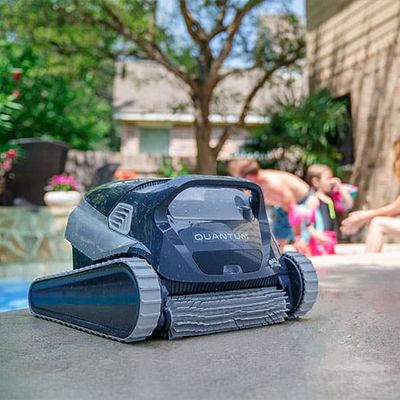
Remote Start Plus a Timer That Needs No Wi-Fi
Dolphin Quantum
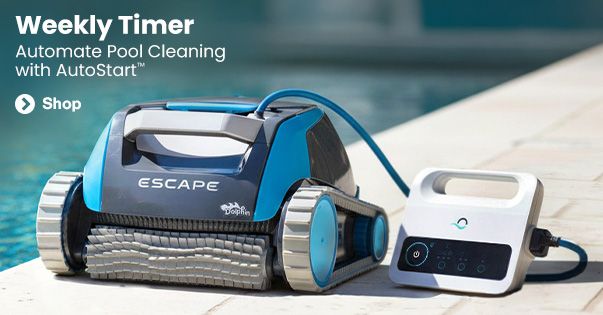
The Quantum covers both kinds of vacation home. With the internet on, the myDolphin Plus app starts, stops and schedules it over Wi-Fi. With the internet off, the weekly timer on the power supply still runs every day, every 2 days or every 3 days.
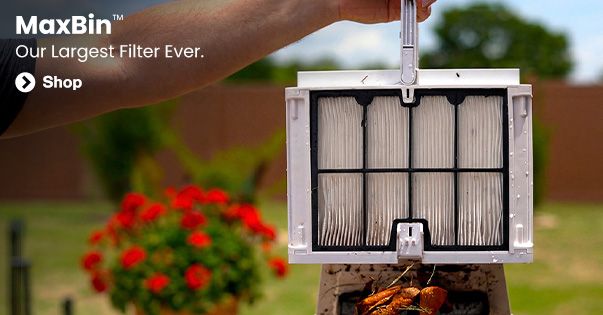
The XXL MaxBin basket gives the first clean after an absence room to work and opens from the top in one click. It is the lowest-priced 50 ft robot in this guide, with a 2-year warranty.
- Good Fit
- Buy this if you want phone control when the Wi-Fi is on and a simple timer when it is off.
- Think Twice
- Skip it if warranty length matters most for a robot that sits unused for months. Cover is 2 years.
-
#3
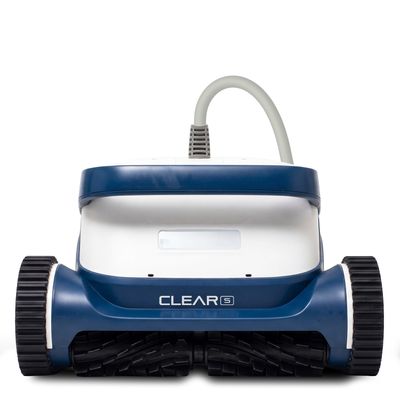
Highest Flow for the First Clean After an Absence
Clear S
When you walk in after weeks away, the pool needs a deep first cycle, and that is the Clear S argument. Ultra mode runs 3 hours at 8,500+ GPH, the highest flow in this guide, and its 1-micron fine panels go after the dust that settles in still water.
The Clear app sets weekly schedules. We rank it third because we cannot tell you how the app connects, so do not plan on starting it from another city without asking us first. The warranty is 3-year limited.
- Good Fit
- Buy this if the big job is the first clean of each visit and you will be there to start it.
- Think Twice
- Skip it if starting the robot before you arrive is the whole point. Ask our pool experts how the Clear app connects first.
-
#4
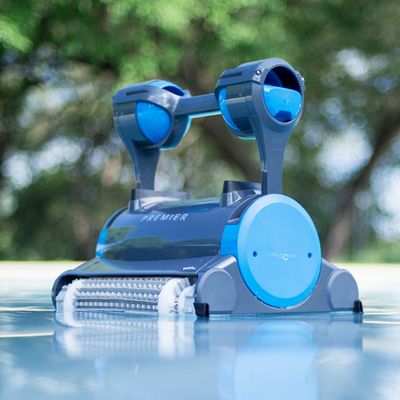
Leaf-Heavy Properties, No Internet Needed
Dolphin Premier
Plenty of vacation homes sit under trees with the router unplugged for most of the year. The Dolphin Premier is the robot for that house. It has no app to lose touch with: the weekly timer and the full-filter indicator are on the power supply, so a caretaker can set it and read it without a phone or a password.
Multi-Media filtration includes an oversized leaf bag for the first clean back, and the warranty runs 3 years. It ranks fourth only because it cannot be started remotely.
- Good Fit
- Buy this if the property collects leaves and you want nothing that depends on Wi-Fi.
- Think Twice
- Skip it if you want to start a cycle from your phone before you arrive. Someone has to be at the power supply.
-
#5
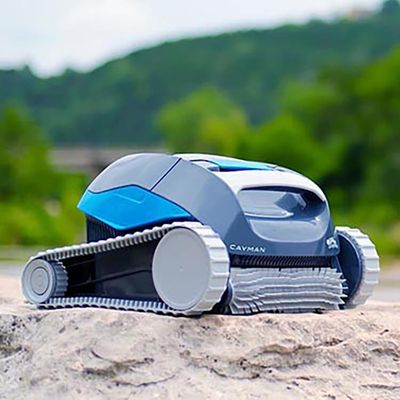

Low-Cost, Caretaker-Proof Pick up to 33 ft
Dolphin Cayman
For a smaller pool used a few weeks a year, flagship money makes little sense. The Dolphin Cayman costs less, weighs 14.6 lb, and is hard to get wrong: its timer has one setting, every day, so the instruction to a caretaker is drop it in and switch the timer on.
It ranks fifth because it has no remote start and does not clean the waterline, so after a long absence the tile line will need a brush. It suits pools up to 33 ft, in-ground or above-ground.
- Good Fit
- Buy this if the pool is 33 ft or under and a caretaker or guest will run the robot.
- Think Twice
- Skip it if you want phone control or waterline cleaning. It has neither, and its timer is daily only.

What Matters When Nobody Is Home
-
Remote Start Over Wi-Fi
The Sigma and Quantum connect to the myDolphin Plus app over Wi-Fi, so you can start, stop and schedule from another city. Two conditions apply: the robot has to be in the pool and plugged in, and the home's Wi-Fi has to be on and reach the power supply outdoors.
-
A Timer for the Weeks You Are There
Once you arrive, cleaning should run itself. Timers on the Premier, Quantum and Cayman are set on the power supply and need no phone and no Wi-Fi, which suits houses where the internet is shut off between visits.
-
Capacity for the First Clean Back
The first cycle after weeks away is the heaviest the robot will run. A large basket, a leaf bag or high flow decides whether it finishes the job. Plan to empty the filter after that cycle and run a second.
-
Simple Enough to Hand Over
Often the person running the robot is a caretaker, a neighbor or a pool service. Controls on the power supply, a filter that lifts out from the top and a robot light enough to carry all reduce the phone calls asking how it works.
Vacation Home Picks Compared
Published specs for the picks above, with today's price.
| Specification | Dolphin Sigma | Dolphin Quantum | Clear S | Dolphin Premier | Dolphin Cayman |
|---|---|---|---|---|---|
| Price Today | $2349 | $1599 | $1749 | $1949 | $1049 |
| Power | Corded, plugs into a standard outlet | Corded, plugs into a standard outlet | Corded, plugs into a standard outlet | Corded, plugs into a standard outlet | Corded, plugs into a standard outlet |
| Scheduling | Weekly scheduler by day and time | Weekly timer: every day, every 2 days or every 3 days | Weekly schedules in the Clear app | Weekly timer: every day, every 2 days or every 3 days | Timer: every day |
| App | myDolphin Plus (Wi-Fi and Bluetooth) | myDolphin Plus (Wi-Fi) | Clear app (iOS and Android) | No app; controls on the power supply | No app; controls on the power supply |
| Robot weight | 24.6 lb | 18.3 lb | — | 20.3 lb | 14.6 lb |
| Filter access | Cartridges | Top-load, one-click open | — | Top-load, no tools | Top hatch, one-tab emptying |
| Cycle time | 2.5 hours | 2 hours | 1, 2 or 3 hours (six modes) | 3 hours | 2 hours |
| Cleans | Floor, walls and waterline | Floor, walls, waterline, sun shelves and stairs | Floor, walls and waterline | Floor, walls and waterline | Floor and walls |
| Warranty | 3 years | 2 years | 3 years (limited) | 3 years | 2 years |
| Shop | Shop the Sigma | Shop the Quantum | Shop the Clear S | Shop the Premier | Shop the Cayman |
Three Setups That Work at a Second Home
Forget the idea of a robot patrolling an empty pool for a month. These are the arrangements that hold up, and each one has a person within reach of the pool at some point.
- Caretaker or pool service drop-in. Whoever visits puts the robot in, runs a cycle, empties the filter and stores it again. Simple controls matter most.
- Arrival-day clean. A caretaker places the robot a day ahead and you start it from the app on the Sigma or Quantum.
- In-residence schedule. While you are staying, the robot lives in the pool on its timer and comes out at least weekly for a filter rinse.
Check the Wi-Fi Before You Count on the App
Remote start has three points of failure, and none of them is the robot. The router has to be powered while you are away. The signal has to reach the power supply, which sits outdoors near the pool. And the robot has to be in the water and plugged in.
Test it on a visit: stand where the power supply will go and check the signal on your phone. If you shut the internet off when you leave, drop the app as a deciding feature and choose on the timer instead: the Premier, Quantum and Cayman timers need no connection at all.
Closing Up: Where the Robot Goes When You Leave
When the house will stand empty, the robot comes out of the pool. Rinse the filter and body with fresh water, let it drain, and store it indoors or in shade. Coil the cable loosely and bring the power supply in too.
A locked garage or pool shed is ideal, since a robot left on the deck of an empty house is easy to walk off with. A caddy keeps robot, cable and power supply together so a caretaker can roll the whole kit out and back.
Before You Hand Over the Keys
- Write a one-page instruction sheet for the caretaker: where the robot is stored, where the power supply sits, which button starts it, how the filter comes out.
- Agree who empties the filter after the first cycle of each visit, then runs a second cycle on the clean filter.
- If you use the app, test a remote start while you are still at the property, with your phone on cellular data and not the house Wi-Fi.
- Tell the pool service to lift the robot out before the pool is shocked or chemicals are added.
Vacation Home Pool Questions
Can I leave the robot in the pool while the house is empty?
For a few days between scheduled cycles, yes: robots with a timer or app schedule are made for that. For weeks at a time, no. Store it out of the water and out of direct sun during long absences. Nobody is there to empty the filter anyway.
Can I start a robotic pool cleaner for vacation homes from another state?
With the Sigma or Quantum, yes, through the myDolphin Plus app over Wi-Fi. The robot has to be in the pool and plugged in, and the house Wi-Fi has to be on and reaching the power supply.
What if the internet is turned off when we are away?
Then app control is off the table while you are gone, and the timer becomes the feature that counts. A caretaker can switch on a power-supply timer at the start of a stay, or run single cycles on visits, with no phone needed.
Does a robot replace the pool service at a second home?
No. A robot handles debris on the floor and walls, and the waterline on most picks here. It does not test or balance the water, add sanitizer, empty the skimmer baskets or watch the water level. Someone still does those.
Is a robot worth buying for a pool we use six weeks a year?
It can be, because those are the weeks you least want to spend vacuuming. Match the spend to the use: for a pool up to 33 ft the Cayman keeps the cost down, and the Quantum is the lowest-priced 50 ft robot here.
Still have questions? Browse our pool robot troubleshooting guides, contact our pool experts, or call (888) 615-5728

How to Choose for a Second Home
Start with the Wi-Fi, not the robot. Internet on year-round and reaching the pool: the Sigma for the fullest remote control, or the Quantum for remote start with a timer as backup. Internet off between stays: the Premier under trees, the Cayman for a smaller pool. Choose the Clear S when the heavy first clean of each visit matters most. In every case, line up the person who will put the robot in and take it out.

