








Robots
Featured Robots
Pool Type
Brands
Categories
Deals & More
Free 1-3 Day FedEx Shipping
Low Price Guarantee
Easy Returns & Exchanges
Pool Expert Support
Shop All Robots Deals & Specials
Free 1-2 Day Shipping. Low Price Guarantee. Easy Returns/Exchanges. Choose from top models from the top brands.
Shop By
Pool Type
Debris Type
Brand
Budget
Equipment
Free 1-3 Day FedEx Shipping
Low Price Guarantee
Easy Returns & Exchanges
Pool Expert Support
Shop All Robots
Free 1-2 Day Shipping. Low Price Guarantee. Easy Returns/Exchanges. Find the perfect robot for your pool.
Learn
Reviews
Buying Guides
Compare
Help Me Choose
Free 1-3 Day FedEx Shipping
Low Price Guarantee
Easy Returns & Exchanges
Learning Center
Free 1-2 Day Shipping. Low Price Guarantee. Easy Returns/Exchanges. Everything you need to pick the right pool robot.

Shopping Cart

Free FedEx Shipping & 30 Day Trial

Your cart is empty

Subtotal 0

Free shipping on robots to contiguous 48 states

Need Help?

Our Pool Experts are here to assist you

Mon-Fri 8am-5:30pm CST

Pool Robot Help

Why is the light on my Dolphin power supply on (or blinking)?

Free 1-3 Day FedEx Shipping Low Price Guarantee 30-Day Risk-Free Trial Authorized Maytronics Dealer
Quick answer

On most Dolphin power supplies a steady light simply means power/normal operation, while a blinking or error light usually points to a full filter, a jammed impeller, or a power-cord/connection fault. Empty and rinse the filters, check the impeller for debris, reseat the cord, and power-cycle the unit for 30 seconds.

What the light is telling you

Indicator behavior varies by model, but the general rules hold across the Dolphin lineup. A solid light usually means the power supply has power and is operating normally. A blinking or red/error light is the unit flagging a fault — most often a full filter basket, a blocked impeller, or an interrupted connection between the power supply and the robot. Some newer supplies also blink briefly at the end of a cycle, which is normal.

Work through these in order

  1. Empty and rinse the filters — a clogged filter is the #1 trigger.
  2. Check the impeller housing for leaves, hair, or pebbles and clear anything jammed.
  3. Inspect the floating cord and connector for kinks, corrosion, or a loose plug, and reseat it firmly.
  4. Confirm the power supply is plugged directly into a working GFCI outlet — not an extension cord — and hasn’t tripped.
  5. Unplug the power supply for a full 30 seconds, then plug it back in to reset it.

If debris keeps tripping the light

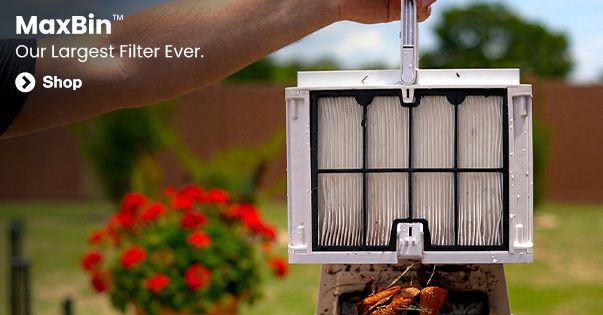
If a full filter is constantly setting off the indicator, you’re overwhelming the standard cartridge. Upgrading to NanoFilters™ and/or a MaxBin™-equipped robot gives you far more capacity between cleanings so the unit doesn’t choke mid-cycle.

When to get help

If the error light stays on after a full reset, or the robot won’t power at all, it may be an internal or power-supply fault. Because Poolbots is an authorized dealer, we can walk you through warranty service — contact our pool experts with your model number, or review your warranty coverage.

Recommended by our experts

What we’d reach for.

Recommended

MaxBin™ Robots

Extra-large debris canisters hold more leaves and dirt, so you empty less often and clean longer between stops.

See MaxBin™ robots ›

Recommended

Talk to a Pool Expert

Not sure what's wrong? Our U.S.-based pool experts can help you diagnose it fast — real people, no bots.

Contact our experts ›

About the Poolbots Pool Experts

This answer was written and reviewed by the pool professionals at Poolbots, a factory-authorized Maytronics dealer with 25+ years in the swimming pool industry and over 100,000 robotic cleaners sold. We test and service these robots every day, so our advice comes from real hands-on experience — not spec sheets.

Why shop with Poolbots · Talk to an expert · Warranty & support

Ready to fix it for good?

Shop robots that just work — every model ships free with a 30-day trial and our low-price guarantee — or get a straight answer from our U.S.-based pool experts. Real people, no bots.

Pool Robot Buying Guide
Headphones Icon
Dolphin Cayman Review
Poolbots Support